 All module features
Changelog
Installation and Update
Frequently Asked Questions and Issues
How to get the latest version?
Setting up Google Analytics 4
Setting up Google ADS remarketing
Setting up Facebook (Meta) remarketing
Setting up a feed for Google Merchant, Facebook, Tiktok
Setting up Telegram notifications
All module features
Changelog
Installation and Update
Frequently Asked Questions and Issues
How to get the latest version?
Setting up Google Analytics 4
Setting up Google ADS remarketing
Setting up Facebook (Meta) remarketing
Setting up a feed for Google Merchant, Facebook, Tiktok
Setting up Telegram notifications
Setting up Google ADS remarketing
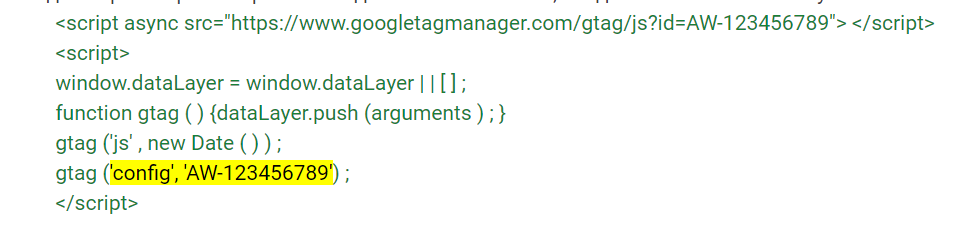
- the Google Tag (gtag.js) must be connected to the site NOT THROUGH TAG MANAGER OR ANY OTHER PLACE, but as Google specifies - between the <head> tags. You can insert the code in the "Counters" tab.
- It looks like this and should be visible when viewing the page source code:
- products must be uploaded to the merchant (either via a feed from the module or any other method, as long as the product IDs in the feed match those on the site)
- SeoPro must not truncate utm tags gclid and gad_source. How to check - add ?gclid=test to any product URL; if the link remains unchanged after navigation, everything is fine
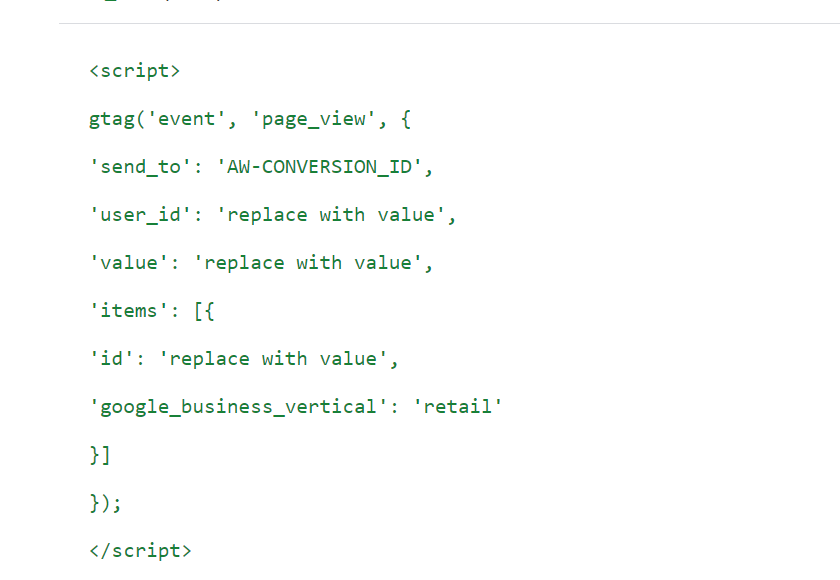
- The example tag with replace_with_value must not be present on the site!
It looks like this:
If you already have a Google Tag from Google Analytics set up like this
<!-- Global site tag (gtag.js) - Google Analytics -->
<script async src="https://www.googletagmanager.com/gtag/js?id=GA_TRACKING_ID"></script>
<script>
  window.dataLayer = window.dataLayer || [];
  function gtag(){dataLayer.push(arguments);}
  gtag('js', new Date());
  gtag('config', 'GA_TRACKING_ID');
</script>
then you need to do the following:
After
gtag('config', 'GA_TRACKING_ID');
Insert
gtag('config', 'AW-CONVERSION_ID');
For enhanced conversion tracking, the Google ADS counter must be connected with the allow_enhanced_conversions parameter
gtag('config','AW-CONVERSION_ID', {'allow_enhanced_conversions':true});
Both connected tags, Google Analytics and Google ADS, look like this:
<!-- Global site tag (gtag.js) - Google Analytics -->
<script async src="https://www.googletagmanager.com/gtag/js?id=GA_TRACKING_ID"></script>
<script> window.dataLayer = window.dataLayer || [];
function gtag(){dataLayer.push(arguments);}
gtag('js', new Date());
gtag('config', 'GA_TRACKING_ID');
gtag('config','AW-CONVERSION_ID', {'allow_enhanced_conversions':true});
</script>
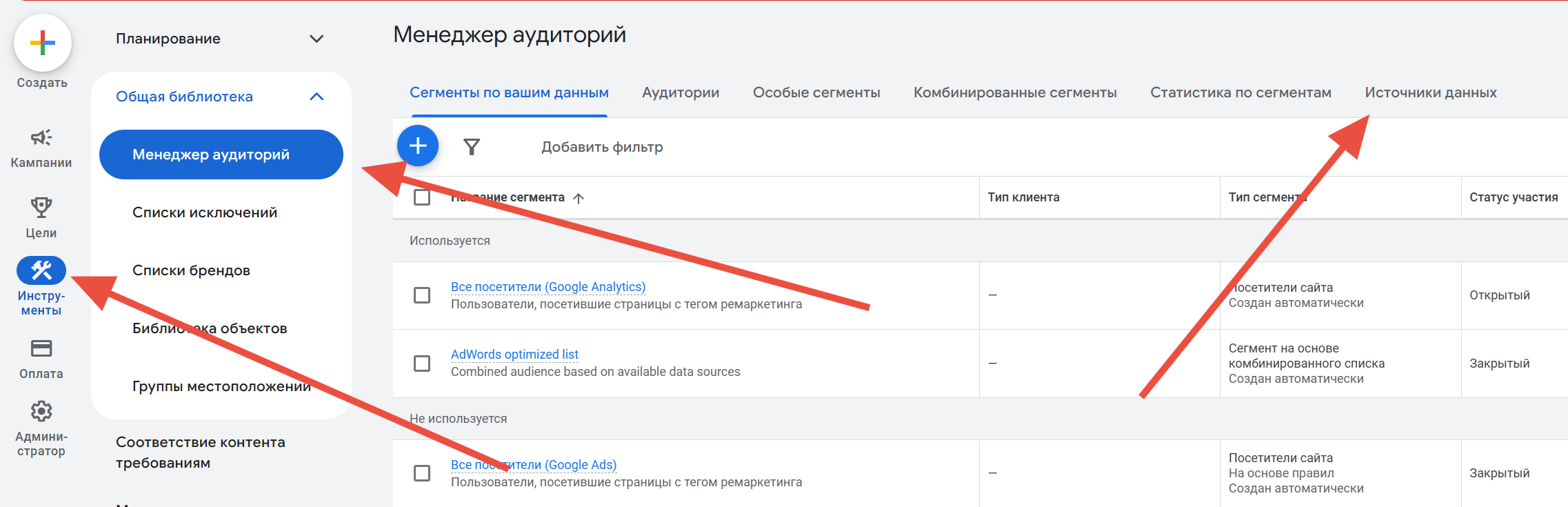
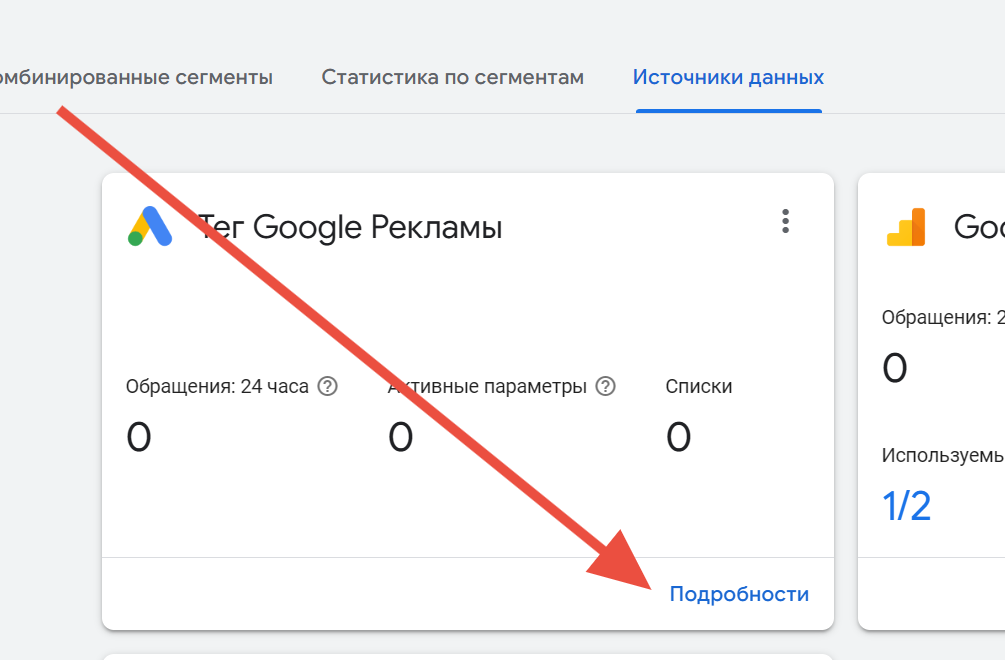
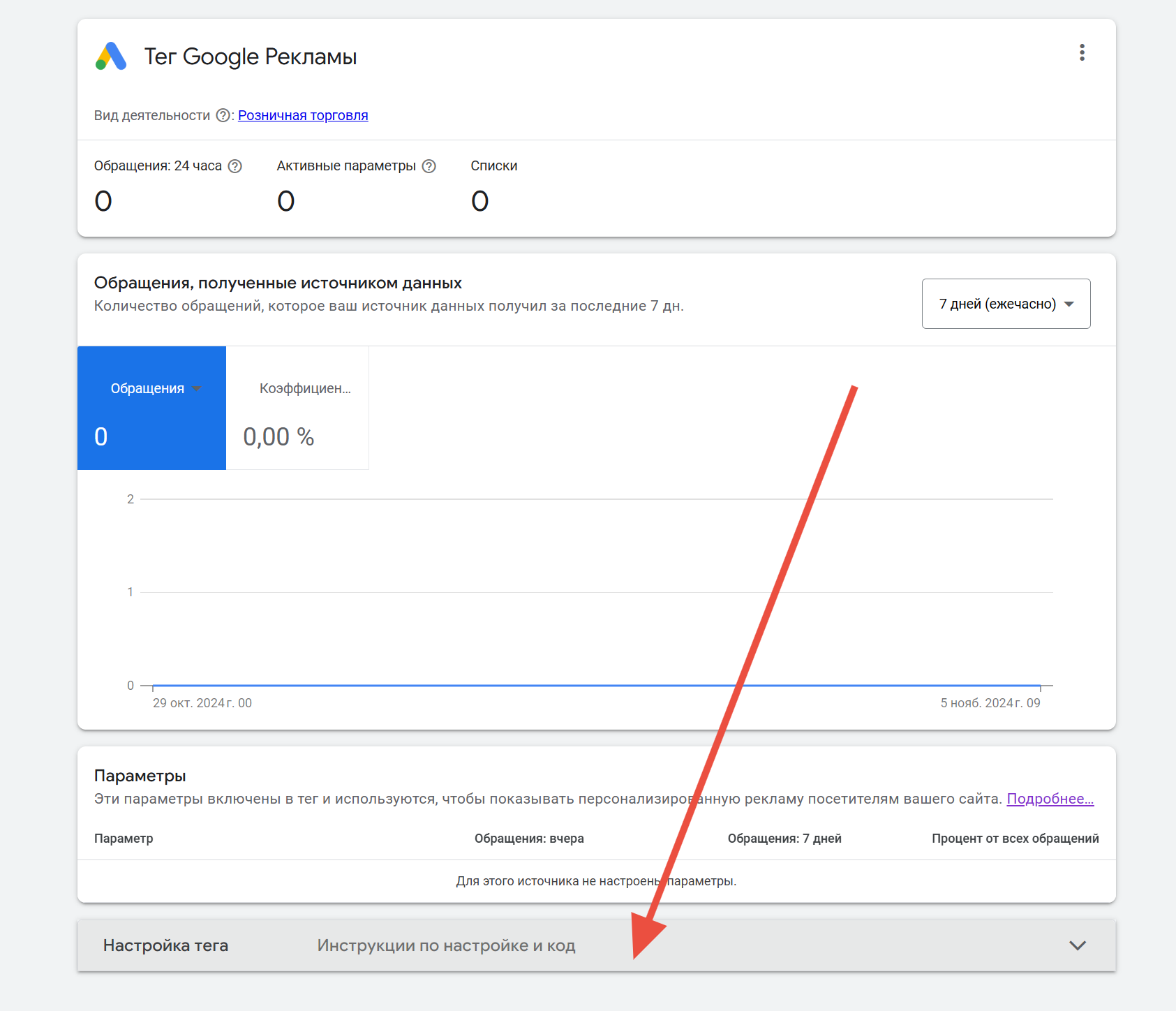
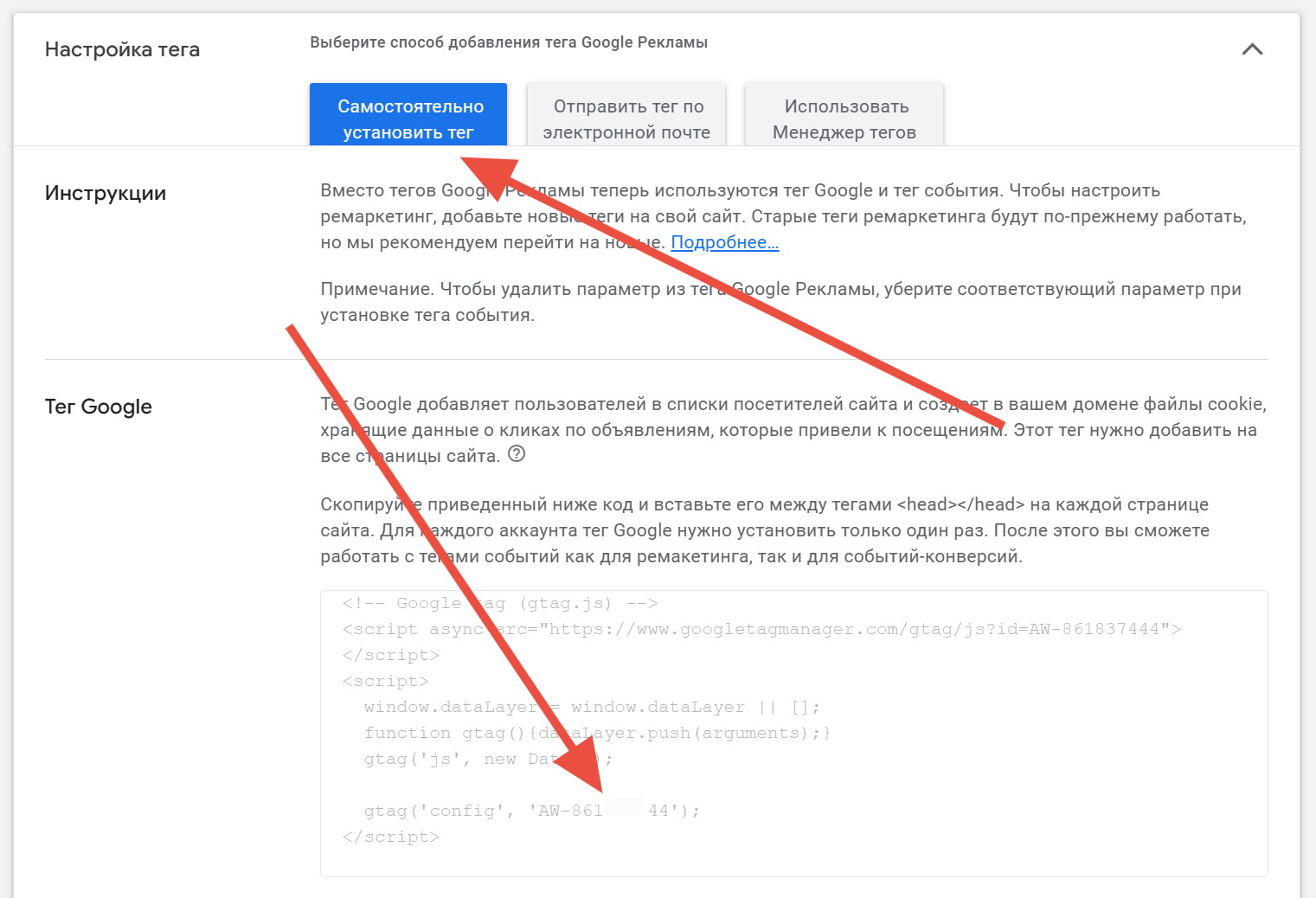
https://support.google.com/google-ads/answer/2476688
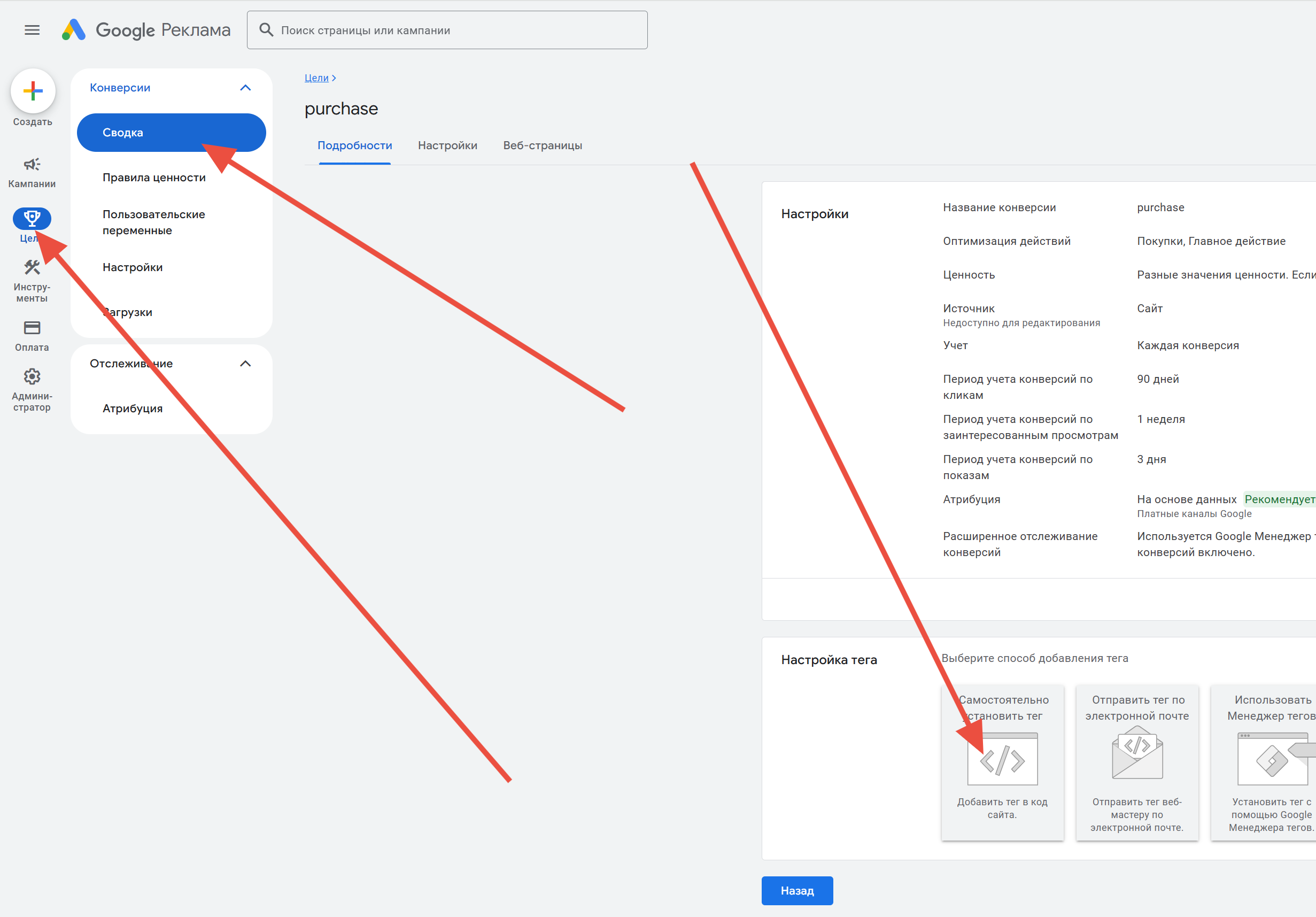
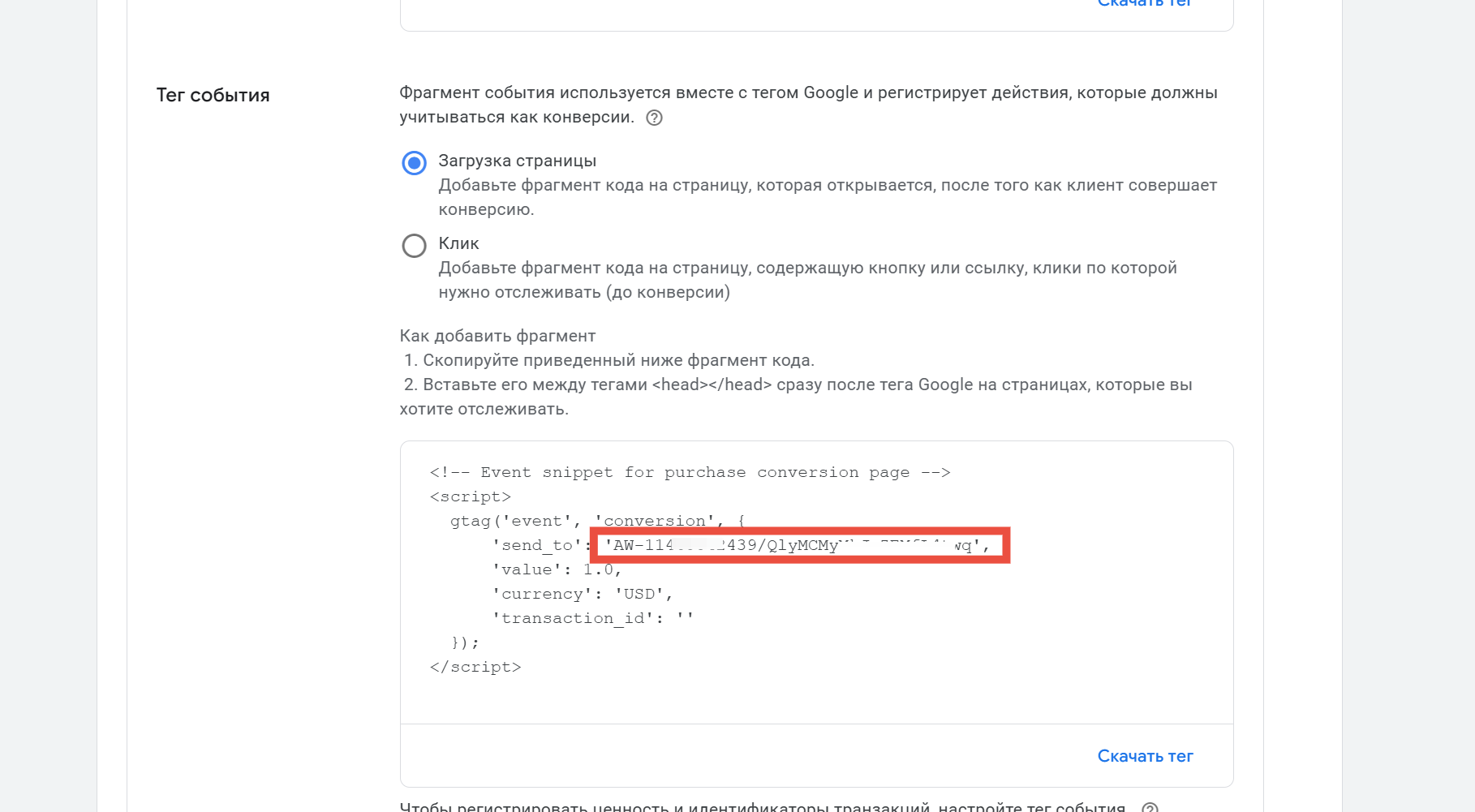
Starting from version 7.2, enhanced tracking works through the Google tag
gtag('set', 'user_data', {
https://support.google.com/google-ads/answer/9888656?hl=ru
https://support.google.com/google-ads/answer/11021502?sjid=17971079368436289578-EU
ALL SETTINGS INSIDE GOOGLE ADS MUST BE DONE INDEPENDENTLY, THE MODULE ONLY SENDS DATA ACCORDING TO THE DESCRIBED SCENARIOS!
if the version is lower - a Javascript variable is used, it looks like this (this structure also works for higher versions)
var enhanced_conversion_data = {
"email": "email@email.com",
"phone_number": "0524542542",
"first_name": "Name",
"last_name": "Surname",
}