 All module features
Changelog
Installation and Update
Frequently Asked Questions and Issues
How to get the latest version?
Setting up Google Analytics 4
Setting up Google ADS remarketing
Setting up Facebook (Meta) remarketing
Setting up a feed for Google Merchant, Facebook, Tiktok
Setting up Telegram notifications
All module features
Changelog
Installation and Update
Frequently Asked Questions and Issues
How to get the latest version?
Setting up Google Analytics 4
Setting up Google ADS remarketing
Setting up Facebook (Meta) remarketing
Setting up a feed for Google Merchant, Facebook, Tiktok
Setting up Telegram notifications
Setting up Facebook (Meta) remarketing
- The Facebook pixel code must be connected to the site (can be enabled in settings, the module will correctly connect the tag itself)
- The Facebook pixel code must be connected NOT THROUGH TAG MANAGER OR ANY OTHER PLACE, but as Facebook specifies - between the <head> tags. You can either enable it in settings (recommended) or insert the code in the "Counters" tab.
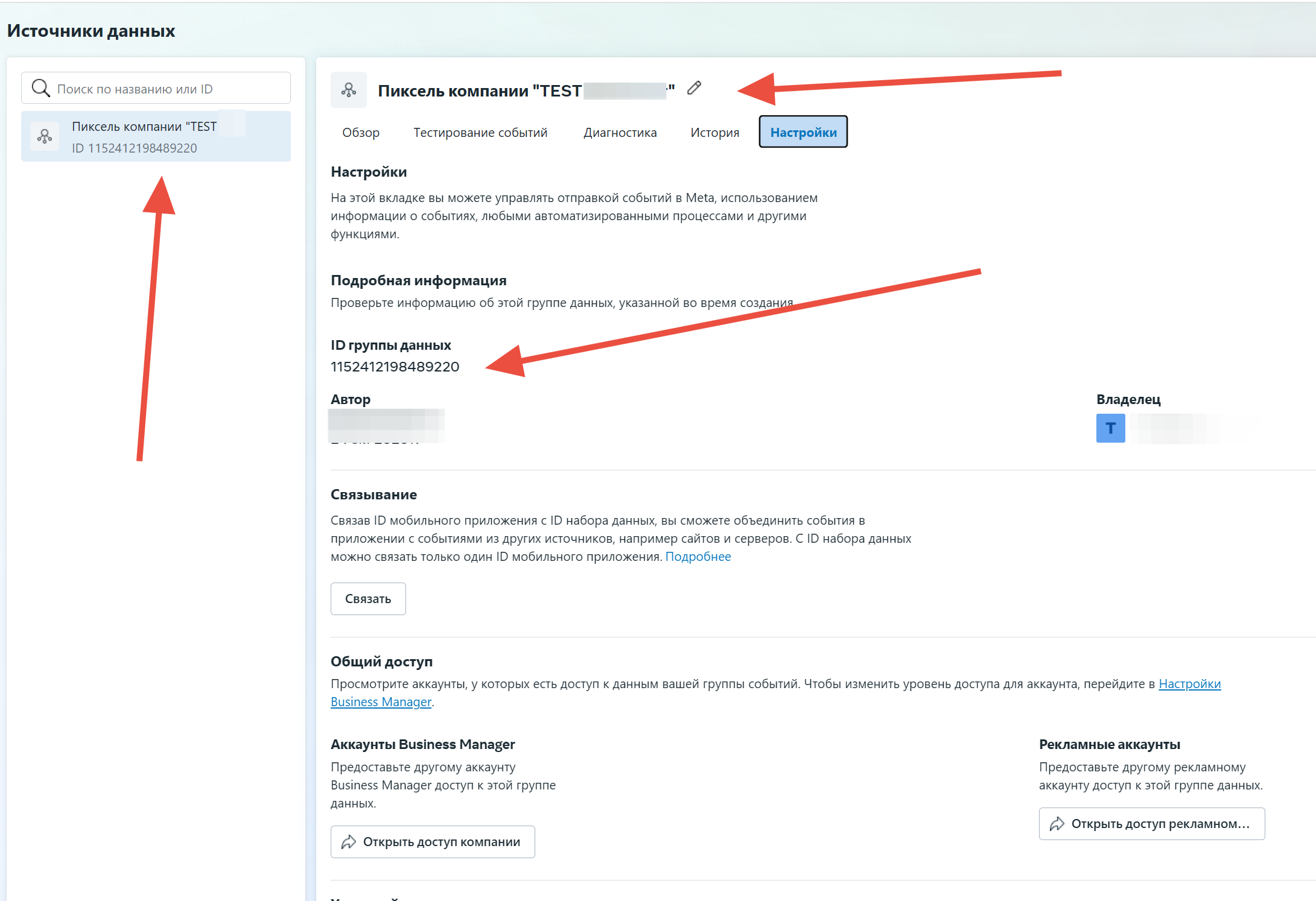
- The pixel code can be obtained from this instruction:
https://www.facebook.com/business/help/952192354843755?id=1205376682832142
- products must be uploaded to the Facebook catalog (either via a feed from the module or any other method, as long as the product IDs in the feed match those on the site)
https://www.facebook.com/business/help/125074381480892?id=725943027795860
- the Facebook Pixel (Meta) identifier must be entered correctly
- SeoPro must not truncate the fbclid tag
How to check - add ?fbclid=test to any product URL; if the link remains unchanged after navigation, everything is fine
To use Conversions API, you need to obtain an access token in the pixel settings
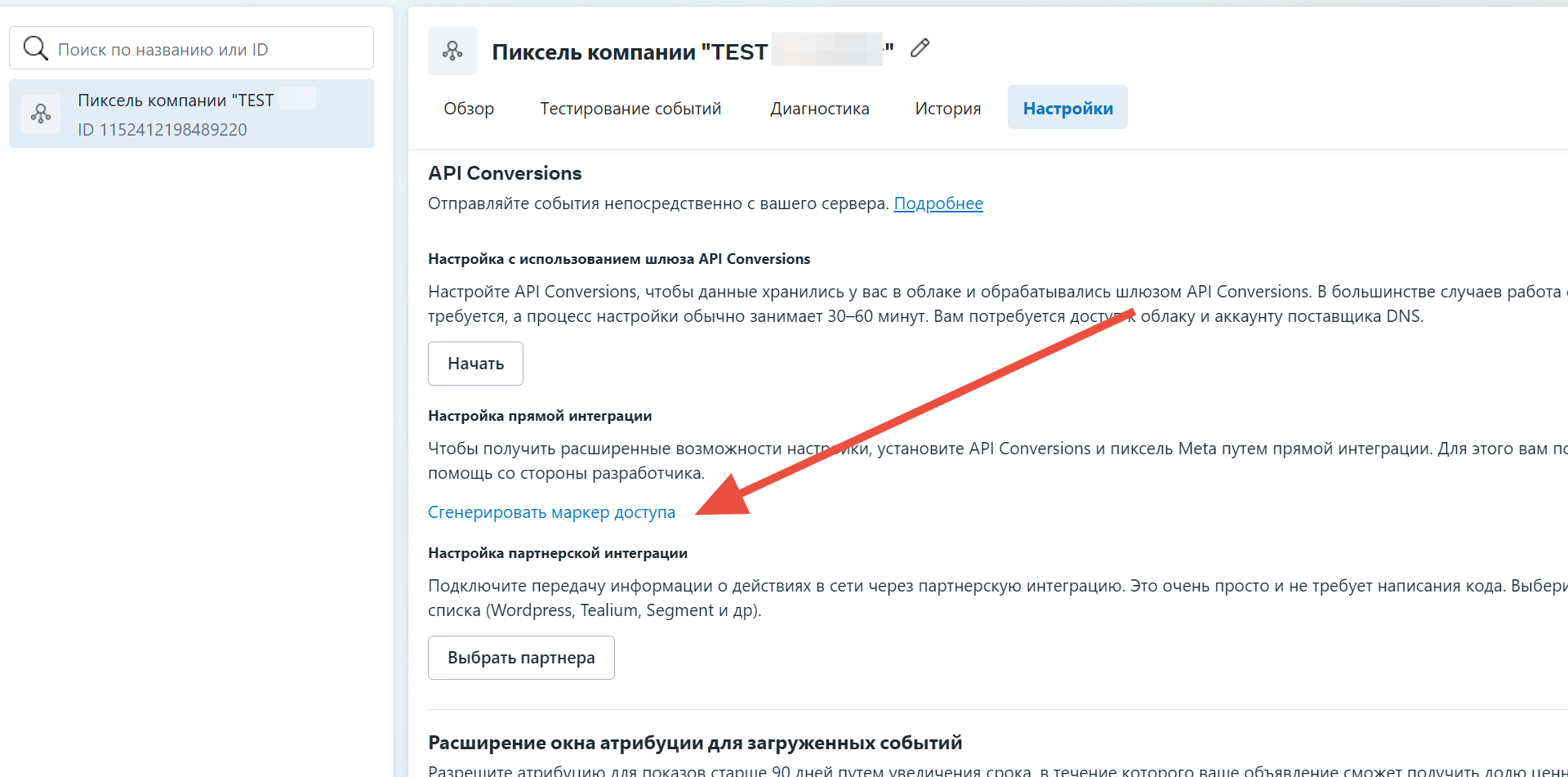
Pixel events and Conversions API transmit the same event IDs for deduplication
https://www.facebook.com/business/help/823677331451951?id=1205376682832142